
Practice questions: authoring guide
Section titled “Practice questions: authoring guide”This page is for authors. It shows how to write a practice question that a learner can answer on the page and that explains every option. Each kind of question appears once below as a working example, so you can try it the way a learner will.
| You will learn | The :::question syntax, the five kinds of item, and the rules the checks enforce. |
| Who reads the result | Learners, on the site, in a printed copy and in the PDF. |
| Where it goes | The ✓ Practice segment of a session, and the sample items on a course’s assessment page. |
Two kinds of questions, kept apart
Section titled “Two kinds of questions, kept apart”The program has two kinds of questions. They are written differently and they never mix.
| Practice questions | Assessment bank items | |
|---|---|---|
| Who sees them | Every learner. | Facilitators only (instructor: true). |
| What they are for | Learning: the learner answers, then reads why each option is right or wrong. | Certification: they decide whether someone passes. |
| Where they live | Session pages and assessment.md, written as :::question. | assessment-bank.md only. |
| Explanations | Required for every option, with a link to where the point is taught. | A short rationale, for the facilitator. |
A bank item that appears on a learner page is burnt: anyone can read it, so it
no longer tests anything. Never copy a bank item into a practice question, not
even reworded. Write a new practice item instead. The check-bank-leak check
compares the bank with every learner page, in English and in Arabic, and fails
when they share a stem or an option.
How a question works for the learner
Section titled “How a question works for the learner”- Without JavaScript, the learner reads the question, decides, and then opens Check your answer and the Explanation under each option. All of it is on the page, and all of it can be reached with the keyboard.
- With JavaScript, a Check button marks each option right or wrong, opens the explanations that matter, and says the result aloud for screen readers. Try again clears the marks. Ordering items can be dragged, moved with the arrow buttons, or moved with Alt and the up or down arrow.
- On paper and in the PDF, choices print as empty circles and boxes to fill in by hand, every explanation prints, and no buttons print.
- In Arabic, the page runs right to left and the option letters are أ ب ج د.
The syntax
Section titled “The syntax”A practice question is a container directive in an ordinary .md page. You do
not need MDX.
:::question{#acp-m3-s1-q2 type=single concept=field-type}Which field type should hold the person a task is assigned to?
- [ ] Short text > Not this one: a typed name is not linked to a real user, so nothing can > reach that person. See [User field](%DOCS_URL%/en/build/guides/field-types/field-types-user).- [x] User > Correct: a User field links the entry to a real account in your > organization. See [User field](%DOCS_URL%/en/build/guides/field-types/field-types-user).:::- The id follows
#. On a session page it is<course>-m<M>-s<N>-q<k>, for exampleacp-m3-s1-q2. On any other page it is<course>-<page>-q<k>. An id is unique, the same in English and Arabic, and never reused. - The type is
single,multiple,truefalseororder. A scenario wraps questions in::::scenario{#id}. concept=names the concept the question practises, from the list in the rebuild contract. It is optional but recommended.- The options are a task list.
[x]marks a correct option and[ ]a wrong one. Fororder, write a numbered1.list in the correct order; the page shows it shuffled, the same way on every build. - Every option has an explanation: a
>quote indented under the option, of at least 12 words, that says why the option is right or wrong and links to the session section or docs page that teaches the point.
Use :::model-answer for a worked solution the learner compares their own work
with. It shows collapsed and opens on demand. Write :::model-answer[Worked solution] to change its title.
One example of each kind
Section titled “One example of each kind”The questions below are live. Answer them to see what a learner sees.
Single choice
Section titled “Single choice”A task must record the colleague who is responsible for it. Which field type should hold that colleague?
Check your answer
The correct answer is B. Open the explanation under each option to see why.
Multiple choice
Section titled “Multiple choice”Lina has View on the Employees entity directly, and Edit on it through the HR group. Which statements are true?
Check your answer
The correct answers are A and C. Open the explanation under each option to see why.
True or false
Section titled “True or false”Every workflow starts at an initial step and ends at a final step, and the platform creates both of them when you add the workflow.
Check your answer
The correct answer is A (True). Open the explanation under each option to see why.
Ordering
Section titled “Ordering”An employee asks for a laptop through an Asset Request. Put the steps of the main path in the order the record moves through them.
Check your answer
The correct order is A → D → B → C. Open the explanation under each item to see why it sits where it does.
Scenario
Section titled “Scenario”The Facilities team of a fictional city council runs an Asset Request service. Employees submit requests, line managers approve them and the IT Support group fulfils them. Rania has just joined IT Support. She can open the team’s dashboard, but she cannot see any Asset Request records in Administration.
Rania must list and open the Asset Request records in Administration. What is the lowest access level that allows it?
Check your answer
The correct answer is C. Open the explanation under each option to see why.
Three more agents join IT Support next month and need the same access as Rania. Where should that access be granted?
Check your answer
The correct answer is B. Open the explanation under each option to see why.
A worked solution
Section titled “A worked solution”A reflection or a lab ends with a solution the learner checks their own work
against. It belongs in :::model-answer, never in a facilitator block: a
learner working alone needs it.
On your own: Rania moves to another team next year. Write down what you would change so that she loses her access to the Asset Request records, and why.
Model answer
Remove Rania from the IT Support group. Her access came from the group grant, not from a grant to her as a user, so removing her membership removes the access, and the other agents keep theirs. Then check her other groups and roles: access she gets through any of them stays until that grant is removed too. See How grants add up.
Diagrams
Section titled “Diagrams”Draw flows, relationships between concepts, permission ladders and workflow
paths as ```mermaid fences, never as ASCII art. Follow each diagram
with a What to notice line. In the Arabic edition, write flows as
flowchart RL so they read right to left.
flowchart LR
  A["Initial Step<br/>(the employee submits)"] -->|Submit| B["Manager approval"]
  B -->|Approve| C["IT fulfilment"]
  B -->|Return| A
  B -->|Reject| D["Complete Step"]
  C -->|Delivered| D
What to notice: the main path runs Submit, Approve, Delivered; Return and Reject are sub-paths that leave it.
flowchart BT
  R["Restricted"] --> V["View"] --> DV["Developer"] --> E["Edit"] --> AD["Admin<br/>(system level only)"]
What to notice: each level covers the ones below it, and the highest level a person holds is the one that counts.
Videos
Section titled “Videos”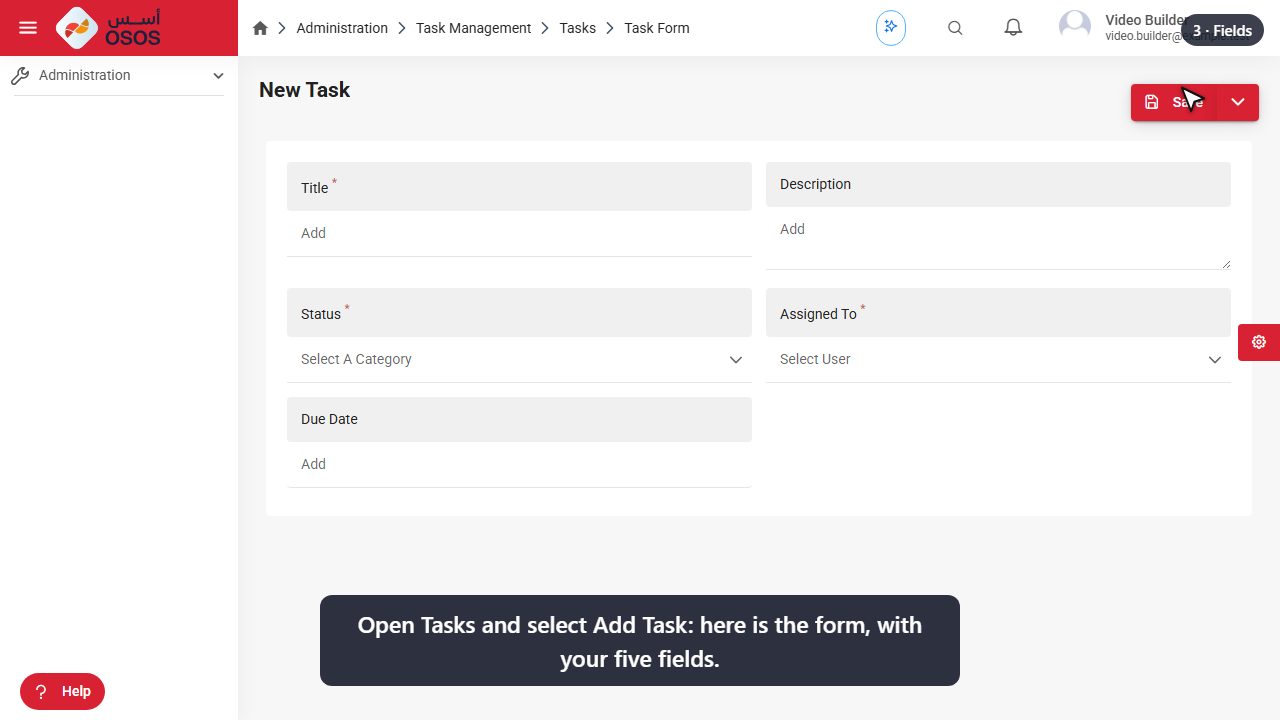
Tutorial · Part 1 of 3 · 2 min 6 s
The module and the Tasks entity
What to notice: the module is created first, and the Tasks entity is created inside it. The form’s five fields come from the fields placed on Structure.
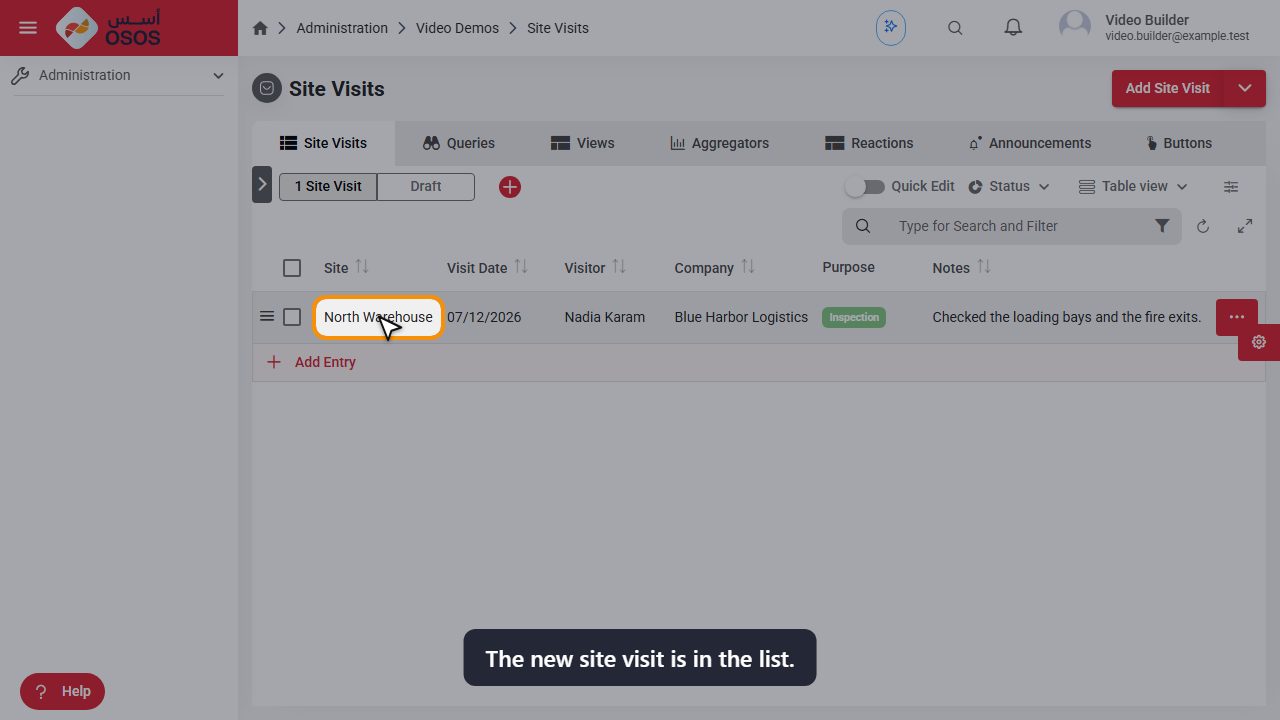
How-to · 36 s
Add a record
What to notice: the required fields are marked, and the new record appears in the list as soon as it is saved.
The checks
Section titled “The checks”| Command | What it proves |
|---|---|
npm run check:practice | Every question has a valid id and type, the right number of [x], an explanation of at least 12 words for every option, and at least one link, and every #anchor it links to exists. |
npm run check:bank-leak | No assessment-bank stem or option appears on a learner page, in either language. |
npm run check:public | The learner build carries no answer key outside a practice block, and no bank item. Run it after every change to questions or gating. |
npm run test:practice | The questions work in a real browser: without JavaScript, with it, in Arabic, and in print. |
npm run test:video | The videos work in a real browser: a player on screen, and the poster with its link in print. |